
Showing posts with label Claudia. Show all posts
Showing posts with label Claudia. Show all posts
Thursday, December 13, 2012
project 19, 20, 21 and RFID
We tried our best but we couldn`t figure out the RFID homework and project 20 and 21. Here`s 19:


Monday, December 10, 2012
Project FINAL process - presentation and food!

sliced grapefruits and lemons (tasty south american fruit)

Cooking the pasta!

Transporting the food!
 slicing the goiaba
 the table setup - part 1
 part 2
 part 3
 part 4!


Project Process - videos!
Videos of us setting up the project and testing the functionality of the sensors!
Sunday, December 9, 2012
Setting up the project - the fun part!

Taping paper on the bottom of the bowls to make them higher. They kind of have a hole in the bottom that made it hard for the bowl to actually get in touch with the sensors

The values each FSR reads

the arrays Arduino sends to Flash through serial communication

Puting the cloth (we wanted it to have kind of a grandma`s kitchen feel to it)

Setting up the table

The arduino attached below the table with duck tape lol


Testing it out with strange things... heavy things to make enough weight for the FSRs. Later we had to tune it up with the food

On the electronics lab working

Where the computer will be

close up on the tablet (yes, we bought the cloth)

The setup for the food

Testing the grid system of the video display
Perf board progress (the return)


And yet it failed to work.... we feel so bad about it. :/ sorry Even though Julia helped us to find the right perf board...
Final project progress - Software
So, let`s talk a little bit more about the technology we are currently using in our piece [put your name here].
We are using now a combination of Arduino and Adobe Flash. Let me explain why we did it: Processing did not handle well the video size we had even using an Arduino Mega. As this time we actually made the videos (and we did it in a reasonable resolution), Processing was no longer an option. Luckily enough, the last release of Adobe Flash on the Creative Suite CS6 includes a library that allows it to communicate with Arduino through a Serial port:
Native extensions for AIR and Arduino
And we are using this library from Arduino:
Arduino Playground: Flash
Our Arduino code consists of three simple steps: getting the pressure read on the FSRs, transforming them into strings through an if block and sending this information to Flash using Serial Communication.
Our Arduino final code was:
int read1 = A0;
int read2 = A1;
int read3 = A2;
int read4 = A3;
void setup()
{
Serial.begin(9600);
Serial.print("\n");
}
void loop()
{
//read values
int value1 = analogRead(read1);
int value2 = analogRead(read2);
int value3 = analogRead(read3);
int value4 = analogRead(read4);
// if you put 1 it`ll show the values and if you put 0 it`ll show the strings
if (1) {
//print the values for debugging
Serial.println(value1);
Serial.println(value2);
Serial.println(value3);
Serial.println(value4);
Serial.print("\n");
delay(1000);
} else {
//print the strings to flash
if (value1 > 300 && value1 < 700) Serial.print("video1\n");
if (value2 > 500 && value2 < 800) Serial.print("video2\n");
if (value3 > 300 && value3 < 800) Serial.print("video3\n");
if (value4 > 400 && value4 < 800) Serial.print("video4\n");
}
}
Now, our Flash code contains a bunch of classes. The main goal of the whole Flash project is: 1. to be able to read the string sent by Arduino and play an embedded video according to which string; 2. Arrange the video display accordingly with the quantity of videos triggered by the sensors attached to Arduino. 3. Play all of that in fullscreen mode.
Flash Codes:
Main.as
package {
import flash.display.MovieClip;
import flash.events.Event;
import fl.video.FLVPlayback;
import fl.video.VideoScaleMode;
import flash.display.StageDisplayState;
import flash.display.StageScaleMode;
import fl.video.VideoEvent;
import flash.events.KeyboardEvent;
import flash.ui.Keyboard;
import fl.video.VideoAlign;
public class Main extends MovieClip {
public var arduinoHandler:ArduinoHandler = new ArduinoHandler();
private var videos:Vector.<FLVPlayback>;
public function Main() {
arduinoHandler.addEventListener(ArduinoEvent.ERROR, showError);
addEventListener(Event.ADDED_TO_STAGE,startStuff);
stage.addEventListener(KeyboardEvent.KEY_DOWN, keyDebugger);
videos = new Vector.<FLVPlayback>();
for (var i:uint = 0; i < 4; i++) {
var vid:FLVPlayback = new FLVPlayback();
videos.push(vid);
vid.scaleMode = VideoScaleMode.MAINTAIN_ASPECT_RATIO;
vid.autoPlay = false;
vid.fullScreenTakeOver = false;
vid.addEventListener(VideoEvent.STATE_CHANGE, vidChange);
vid.align = VideoAlign.TOP;
}
videos[0].source = "video1.flv";
videos[1].source = "video2.flv";
videos[2].source = "video3.flv";
videos[3].source = "video4.flv";
arduinoHandler.addEventListener(ArduinoEvent.INBOUND, listen);
}
private function vidChange(e:VideoEvent):void {
var playingVids:Vector.<FLVPlayback> = new Vector.<FLVPlayback>();
for each (var vid:FLVPlayback in videos) {
if (vid.playing) {
playingVids.push(vid);
addChild(vid);
} else if (contains(vid)) removeChild(vid);
}
if (playingVids.length == 1) {
playingVids[0].width = stage.stageWidth;
playingVids[0].height = stage.stageHeight;
playingVids[0].registrationX = 0;
playingVids[0].registrationY = 0;
} else if (playingVids.length == 2) {
playingVids[1].registrationX = playingVids[0].registrationX = 0;
playingVids[0].registrationY = 0;
playingVids[1].width = playingVids[0].width = stage.stageWidth;
playingVids[1].registrationY = playingVids[1].height = playingVids[0].height = stage.stageHeight/2;
} else if (playingVids.length == 3) {
playingVids[2].registrationX = playingVids[0].registrationX = 0;
playingVids[1].registrationY = playingVids[0].registrationY = 0;
playingVids[1].registrationX = playingVids[2].width = playingVids[1].width = playingVids[0].width = stage.stageWidth/2;
playingVids[2].registrationY = playingVids[2].height = playingVids[1].height = playingVids[0].height = stage.stageHeight/2;
} else if (playingVids.length == 4) {
playingVids[2].registrationX = playingVids[0].registrationX = 0;
playingVids[1].registrationY = playingVids[0].registrationY = 0;
playingVids[3].registrationX = playingVids[1].registrationX = playingVids[3].width = playingVids[2].width = playingVids[1].width = playingVids[0].width = stage.stageWidth/2;
playingVids[3].registrationY = playingVids[2].registrationY = playingVids[3].height = playingVids[2].height = playingVids[1].height = playingVids[0].height = stage.stageHeight/2;
}
}
private function keyDebugger(e:KeyboardEvent):void {
if (e.ctrlKey) switch (e.keyCode) {
case Keyboard.NUMBER_1: videos[0].stop(); break;
case Keyboard.NUMBER_2: videos[1].stop(); break;
case Keyboard.NUMBER_3: videos[2].stop(); break;
case Keyboard.NUMBER_4: videos[3].stop(); break;
case Keyboard.A: videos[0].stop(), videos[1].stop(), videos[2].stop(), videos[3].stop(); break;
}
else switch (e.keyCode) {
case Keyboard.NUMBER_1: videos[0].play(); break;
case Keyboard.NUMBER_2: videos[1].play(); break;
case Keyboard.NUMBER_3: videos[2].play(); break;
case Keyboard.NUMBER_4: videos[3].play(); break;
case Keyboard.A: videos[0].play(), videos[1].play(), videos[2].play(), videos[3].play(); break;
case Keyboard.ENTER: stage.displayState = StageDisplayState.FULL_SCREEN_INTERACTIVE; break;
}
}
private function listen(e:ArduinoEvent):void {
switch (e.data as String) {
case "video1": videos[0].play(); break;
case "video2": videos[1].play(); break;
case "video3": videos[2].play(); break;
case "video4": videos[3].play(); break;
default: trace((e.data as String));
}
}
private function startStuff(e:Event):void {
removeEventListener(Event.ADDED_TO_STAGE,startStuff);
arduinoHandler.start();
stage.scaleMode = StageScaleMode.EXACT_FIT;
stage.displayState = StageDisplayState.FULL_SCREEN_INTERACTIVE;
}
private function showError(e:ArduinoEvent):void {
trace(e.data);
}
}
}
ArduinoHandler.as
package {
import flash.events.Event;
import flash.net.Socket;
import flash.events.IOErrorEvent;
import flash.events.ProgressEvent;
import flash.events.SecurityErrorEvent;
import flash.utils.Endian;
import flash.system.Security;
import flash.events.EventDispatcher;
public class ArduinoHandler extends EventDispatcher {
static private const _proxyAddress:String = "127.0.0.1";
private static const EOL_DELIMITER:String = "\n";
static private const _proxyPort:uint = 5331;
private var _socket:Socket;
private var buffer:String = "";
public function start():void {
_socket = new Socket();
_socket.addEventListener( Event.CONNECT, onConnect );
_socket.addEventListener( Event.CLOSE, onClose );
_socket.addEventListener( ProgressEvent.SOCKET_DATA, onSocketData );
_socket.addEventListener( IOErrorEvent.IO_ERROR, onIOError );
_socket.addEventListener( SecurityErrorEvent.SECURITY_ERROR, onSecurityError );
_socket.endian = Endian.LITTLE_ENDIAN;
_socket.connect(_proxyAddress, _proxyPort);
}
private function onConnect(e:Event):void {
dispatchEvent(new ArduinoEvent(ArduinoEvent.READY));
}
private function onSocketData(event:ProgressEvent):void {
var data:String = _socket.readUTFBytes(_socket.bytesAvailable);
buffer += data;
var msg:String;
var index:int;
while ((index = buffer.indexOf(EOL_DELIMITER)) > -1) {
msg = buffer.substring(0,index);
buffer = buffer.substring(index + 1);
dispatchEvent(new ArduinoEvent(ArduinoEvent.INBOUND, msg));
}
}
public function sendMessage(message:String):void {
if (! _socket.connected) {
dispatchEvent(new ArduinoEvent(ArduinoEvent.ERROR, "You must be connected to send a command to the Arduino."));
return;
}
_socket.writeUTFBytes(message);
_socket.flush();
}
private function onClose(event:Event):void {
dispatchEvent(new ArduinoEvent(ArduinoEvent.CLOSED));
}
private function onIOError(event:IOErrorEvent):void {
dispatchEvent(new ArduinoEvent(ArduinoEvent.ERROR, "IOErrorEvent : " + event.text));
}
private function onSecurityError(event:SecurityErrorEvent):void {
dispatchEvent(new ArduinoEvent(ArduinoEvent.ERROR, "SecurityErrorEvent : " + event.text));
}
}
}
ArduinoEvent.as
package {
import flash.events.Event;
public class ArduinoEvent extends Event {
public var data:Object;
public static const INBOUND:String = "inbound";
public static const READY:String = "ready";
public static const CLOSED:String = "closed";
public static const ERROR:String = "error";
public function ArduinoEvent(type:String, _data:Object = null) {
data = _data;
super(type);
}
}
}
Saturday, December 8, 2012


Project Progress - Hardware
Hey guys! More process!
This is a screenshot of the tests on the FSRs. As hoped, after using the wirespeaker and soldering them they work just fine!

This is the beginning of the setup on the breadboard

These are all the materials we used!

Testing setup on the breadboard to test sensitivity of the sensors

Setup for soldering the wirespeak to the FSRs

Zoom of the soldering

Monday, November 5, 2012
Final Project Reflections after Critique
Form
This project will consist of a white box (altar), placed in the center of a room with dimmed lights (a spotlight focused on the altar only). On the top of this box, there will be a bowl with junk food (we are still thinking about putting healthy-ish junk food instead of plain Big Macs). This bowl will be sitting on the top of a FSR (Force Sensitive Resistor) like this:
This FSR shall acknowledge the variations of the weight of the bowl as "players" (aka viewers) take the food out of the bowl. Once the FSR connected to an Arduino Uno, sends the amount of resistance to the computer, a video or a combination of imagery and sound will be projected on the opposite wall of the room. Also, the player will get a little burned because of touching the bowl. The figure below is a schematic representation of what the viewer shall see we he enters the room:

Concept
We want to toy with control and power relations between food, fashion and identity. We NEED food in order to survive but our relationship to it has changed to either not eating in order to be pretty or eating too much to make it through the day. Food is a subject of amusement because it is directly linked to the physical state of the body - as the saying "You are what you eat" reminds us - as well as to the emotional state of being. Personally, and I can say that on behalf of lots of people, hunger is one of the worst sensations to experience and it can as well affect the emotional of whoever is hungry. That means that a happy society is a well-fed one. But, at the same time, we want to criticize the infamous control society imposes us not to eat when most population NEEDS food and does not have it.Method
We are going to buy soldering paste to make it easier to attach the wires to the tiny legs of the FSR. The wire shall be large because the Arduino Uno setup will be hidden below and inside the altar. If this does not work, we shall keep the Arduino close enough to the bowl and hide it with white fabric. We need to think as to how we will project on the room without making it impossible for us to connect the cables.Code:
//Declaration of variables
int bend1 = A0;
int bend2 = A1;
int bend3 = A2;
int bend4 = A3;
int sum;
int x;
int y;
int z;
int w;
void setup()
{
Serial.begin(9600);
}
void loop()
//Print the analogical input to send to Processing
{
//Serial.print(
x = analogRead(bend1);
//);
//Serial.print(",");
//Serial.print(
y = analogRead(bend2);
//);
//Serial.print(",");
//Serial.print(
z = analogRead(bend3);
//);
//Serial.print(",");
//print and space
//Serial.println(
w = analogRead(bend4);
//);
sum = x+y+w+z;
Serial.println(sum);
}
PROCESSING CODE:import processing.serial.*;
import processing.video.*;
float stotal;
Serial myPort;
boolean isBad = true;
Movie nowPlaying;
String[] badVideosPath = {"bad video 1.mp4", "bad video 2.mp4", "bad video 3.mp4"};
String[] goodVideosPath = {"good video 1.mp4", "good video 2.mp4", "good video 3.mp4"};
Movie[] badVideos = new Movie[badVideosPath.length];
Movie[] goodVideos = new Movie[goodVideosPath.length];
void setup() {
for (int i = 0; i < badVideosPath.length; i++){
badVideos[i] = new Movie(this, badVideosPath[i]);
}
for (int i = 0; i < goodVideosPath.length; i++){
goodVideos[i] = new Movie(this, goodVideosPath[i]);
}
size(480,360,P2D);
println(Serial.list());
myPort = new Serial(this, "COM5", 9600);
myPort.bufferUntil('\n');
}
void serialEvent(Serial myPort) {
stotal = float(myPort.readStringUntil('\n'));
boolean notPlaying = (nowPlaying == null || nowPlaying.time() == nowPlaying.duration());
if ((notPlaying || !isBad) && stotal > 900) {
if (nowPlaying != null) nowPlaying.stop();
nowPlaying = badVideos[floor(random(badVideos.length))];
nowPlaying.play();
isBad = true;
} else if (notPlaying && stotal > 500) {
nowPlaying = goodVideos[floor(random(goodVideos.length))];
nowPlaying.play();
isBad = false;
}
}
void movieEvent(Movie nowPlaying) {
if (nowPlaying == null) return;
nowPlaying.read();
}
void draw() {
if (nowPlaying == null) return;
image(nowPlaying,0,0);
}
Fritzing Sketch:


Illustration:

Materials
A HeaterSoldering Paste
Arduino Uno
10k Resistor
Force Sensitive Resistor
Wires
A Computer with Arduino and Processing IDEs
Sunday, November 4, 2012


Saturday, November 3, 2012
Final project thoughts
I really wanted to stick with my concept about the doll thing but I am not sure if it`s ok enough. I really need my concept to be clearer this time.
I still want my concept to have something to do with those words:
sadism, masochism, voyeurism, violence, relationships...
Also, I want it to tell something to the viewer/player. I should try and resume what are my options in simple sentences, perhaps. Let`s try:
"You are not who you think you are" meaning you will never truly know yourself. Although this sentence is ambivalent, I wish to explore its darkest meaning. To every good thought or good deed, there`s a flaw, some cruelty, some mystery.
"You are sick" is another one. The artwork should trick the player into thinking about how society (and himself) is so messed up and how it just works being like that. Or better, how it is so sick nobody can really tell lines between right or wrong. The world is sick and you are a part of it, therefore you are sick.
I want people to recognize sadomasochistic relationships which are faced as common but are not. I wish for them to acknowledge the nature of those relationships and possibly do something about them. Worship them, hate them, hate themselves and then -- change.
Therefore, what is really key to communicating all the above is comprehending a way to make the viewer to step back from his actions -- his life -- for a little bit, take a step back and admire the human reaction to society`s mixed up values.
We do not know exactly how to express those statements as we are still brainstorming, but we accept suggestions gladly.
Monday, October 29, 2012
Project 36 Temperature Sensor
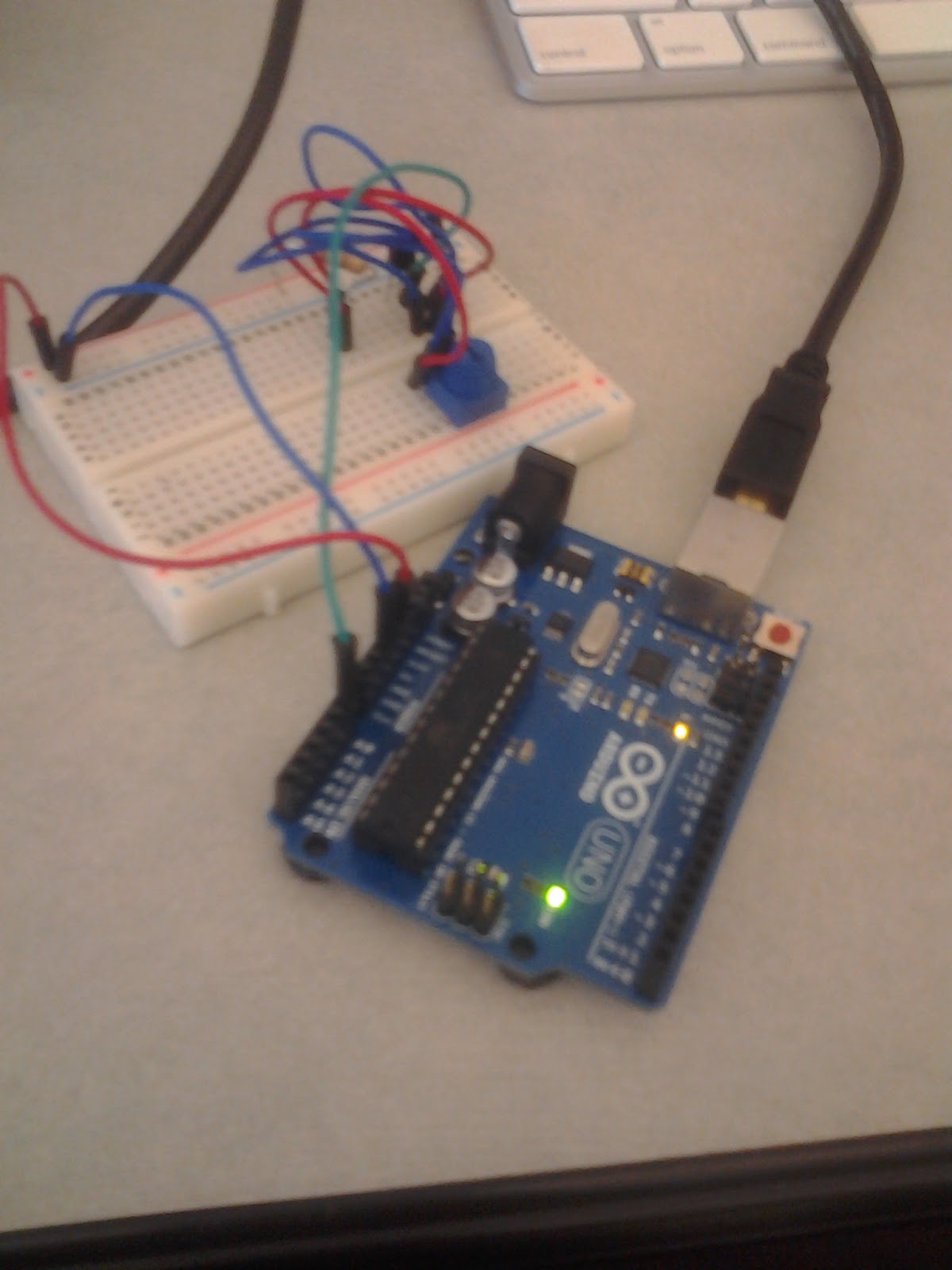
Here are some screenshots of our sensors and the temperature read on the Serial Monitor.




Monday, October 22, 2012
Liquid Crystal Library + Project 24
Autoscroll
Cursor
CustomCharacter
Display
HelloWorld
Scroll
SerialDisplay
setCursor
TextDirection
Project 24:
Sunday, October 14, 2012
Midterm Project - Final Code!!!!
Finally, the code is finished. A video showing how it works:
Arduino code:
//Declaration of variables
int bend1 = A0;
int bend2 = A1;
int bend3 = A2;
int bend4 = A3;
int sum;
int x;
int y;
int z;
int w;
void setup()
{
Serial.begin(9600);
}
void loop()
//Print the analogical input to send to Processing
{
//Serial.print(
x = analogRead(bend1);
//);
//Serial.print(",");
//Serial.print(
y = analogRead(bend2);
//);
//Serial.print(",");
//Serial.print(
z = analogRead(bend3);
//);
//Serial.print(",");
//print and space
//Serial.println(
w = analogRead(bend4);
//);
sum = x+y+w+z;
Serial.println(sum);
}
import processing.serial.*;
import processing.video.*;
float stotal;
Serial myPort;
boolean isBad = true;
Movie nowPlaying;
String[] badVideosPath = {"bad video 1.mp4", "bad video 2.mp4", "bad video 3.mp4"};
String[] goodVideosPath = {"good video 1.mp4", "good video 2.mp4", "good video 3.mp4"};
Movie[] badVideos = new Movie[badVideosPath.length];
Movie[] goodVideos = new Movie[goodVideosPath.length];
void setup() {
for (int i = 0; i < badVideosPath.length; i++){
badVideos[i] = new Movie(this, badVideosPath[i]);
}
for (int i = 0; i < goodVideosPath.length; i++){
goodVideos[i] = new Movie(this, goodVideosPath[i]);
}
size(480,360,P2D);
println(Serial.list());
myPort = new Serial(this, "COM5", 9600);
myPort.bufferUntil('\n');
}
void serialEvent(Serial myPort) {
stotal = float(myPort.readStringUntil('\n'));
boolean notPlaying = (nowPlaying == null || nowPlaying.time() == nowPlaying.duration());
if ((notPlaying || !isBad) && stotal > 900) {
if (nowPlaying != null) nowPlaying.stop();
nowPlaying = badVideos[floor(random(badVideos.length))];
nowPlaying.play();
isBad = true;
} else if (notPlaying && stotal > 500) {
nowPlaying = goodVideos[floor(random(goodVideos.length))];
nowPlaying.play();
isBad = false;
}
}
void movieEvent(Movie nowPlaying) {
if (nowPlaying == null) return;
nowPlaying.read();
}
void draw() {
if (nowPlaying == null) return;
image(nowPlaying,0,0);
}
Arduino code:
//Declaration of variables
int bend1 = A0;
int bend2 = A1;
int bend3 = A2;
int bend4 = A3;
int sum;
int x;
int y;
int z;
int w;
void setup()
{
Serial.begin(9600);
}
void loop()
//Print the analogical input to send to Processing
{
//Serial.print(
x = analogRead(bend1);
//);
//Serial.print(",");
//Serial.print(
y = analogRead(bend2);
//);
//Serial.print(",");
//Serial.print(
z = analogRead(bend3);
//);
//Serial.print(",");
//print and space
//Serial.println(
w = analogRead(bend4);
//);
sum = x+y+w+z;
Serial.println(sum);
}
Processing code:
import processing.serial.*;
import processing.video.*;
float stotal;
Serial myPort;
boolean isBad = true;
Movie nowPlaying;
String[] badVideosPath = {"bad video 1.mp4", "bad video 2.mp4", "bad video 3.mp4"};
String[] goodVideosPath = {"good video 1.mp4", "good video 2.mp4", "good video 3.mp4"};
Movie[] badVideos = new Movie[badVideosPath.length];
Movie[] goodVideos = new Movie[goodVideosPath.length];
void setup() {
for (int i = 0; i < badVideosPath.length; i++){
badVideos[i] = new Movie(this, badVideosPath[i]);
}
for (int i = 0; i < goodVideosPath.length; i++){
goodVideos[i] = new Movie(this, goodVideosPath[i]);
}
size(480,360,P2D);
println(Serial.list());
myPort = new Serial(this, "COM5", 9600);
myPort.bufferUntil('\n');
}
void serialEvent(Serial myPort) {
stotal = float(myPort.readStringUntil('\n'));
boolean notPlaying = (nowPlaying == null || nowPlaying.time() == nowPlaying.duration());
if ((notPlaying || !isBad) && stotal > 900) {
if (nowPlaying != null) nowPlaying.stop();
nowPlaying = badVideos[floor(random(badVideos.length))];
nowPlaying.play();
isBad = true;
} else if (notPlaying && stotal > 500) {
nowPlaying = goodVideos[floor(random(goodVideos.length))];
nowPlaying.play();
isBad = false;
}
}
void movieEvent(Movie nowPlaying) {
if (nowPlaying == null) return;
nowPlaying.read();
}
void draw() {
if (nowPlaying == null) return;
image(nowPlaying,0,0);
}
Saturday, October 13, 2012
Midterm project process - almost done!
Hey there!
We`ve finally got the Arduino to talk appropriately to Processing. We researched some more about bend sensors and we discovered that it doesn`t really fit for our goals so we decided to use pressure sensors instead. We got the Arduino to sum all the analogical inputs and then print it and send the information through serial port to Processing. Then, it gathers the information, compares it to a threshold and randomizes the arrays of good and bad videos to play.
//Declaration of variables
int bend1 = A0;
int bend2 = A1;
int bend3 = A2;
int bend4 = A3;
int sum;
int x;
int y;
int z;
int w;
void setup()
{
Serial.begin(9600);
}
void loop()
//Print the analogical input to send to Processing
{
x = analogRead(bend1);
y = analogRead(bend2);
z = analogRead(bend3);
w = analogRead(bend4);
sum = x+y+w+z;
Serial.println(sum);
}
import processing.serial.*;
import processing.video.*;
float stotal;
Movie trololo;
Serial myPort;
void setup() {
trololo = new Movie(this, "trololo.mp4");
size(480,360,P2D);
println(Serial.list());
myPort = new Serial(this, "COM5", 9600);
myPort.bufferUntil('\n');
}
void serialEvent(Serial myPort) {
stotal = float(myPort.readStringUntil('\n'));
if (stotal > 900) {
trololo.play();
}
}
void movieEvent(Movie trololo) {
trololo.read();
}
void draw() {
image(trololo,0,0);
}
We`ve finally got the Arduino to talk appropriately to Processing. We researched some more about bend sensors and we discovered that it doesn`t really fit for our goals so we decided to use pressure sensors instead. We got the Arduino to sum all the analogical inputs and then print it and send the information through serial port to Processing. Then, it gathers the information, compares it to a threshold and randomizes the arrays of good and bad videos to play.
Video:
Arduino code:
//Declaration of variables
int bend1 = A0;
int bend2 = A1;
int bend3 = A2;
int bend4 = A3;
int sum;
int x;
int y;
int z;
int w;
void setup()
{
Serial.begin(9600);
}
void loop()
//Print the analogical input to send to Processing
{
x = analogRead(bend1);
y = analogRead(bend2);
z = analogRead(bend3);
w = analogRead(bend4);
sum = x+y+w+z;
Serial.println(sum);
}
Processing code:
import processing.serial.*;
import processing.video.*;
float stotal;
Movie trololo;
Serial myPort;
void setup() {
trololo = new Movie(this, "trololo.mp4");
size(480,360,P2D);
println(Serial.list());
myPort = new Serial(this, "COM5", 9600);
myPort.bufferUntil('\n');
}
void serialEvent(Serial myPort) {
stotal = float(myPort.readStringUntil('\n'));
if (stotal > 900) {
trololo.play();
}
}
void movieEvent(Movie trololo) {
trololo.read();
}
void draw() {
image(trololo,0,0);
}
Wednesday, October 10, 2012
Midterm project - the return
And here we are again!
Updates on the project:
Decided to use Arduino Mega in order to have more RAM and pins. Also, we shrunk the videos to ~1M size with 12 fps. Also, perhaps using a lower Serial port will help with speed.


Arduino code so far:
//Declaration of variables
int bend1 = A0;
int bend2 = A1;
int bend3 = A2;
int bend4 = A3;
void setup()
{
Serial.begin(9600);
}
void loop()
//Print the analogical input to send to Processing
{
Serial.print(analogRead(bend1));
Serial.print(",");
Serial.print(analogRead(bend2));
Serial.print(",");
Serial.print(analogRead(bend3));
Serial.print(",");
//print and space
Serial.println(analogRead(bend4));
}
Processing code so far:
import processing.serial.*;
import processing.video.*;
//sensors
float s1 = 0;
float s2 = 0;
float s3 = 0;
float s4 = 0;
float stotal;
Movie trololo;
Serial myPort;
void setup() {
trololo = new Movie(this, "trololo.mp4");
size(480,360,P2D);
println(Serial.list());
myPort = new Serial(this, Serial.list()[0], 9600);
myPort.bufferUntil('\n');
}
void serialEvent(Serial myPort) {
String inString = myPort.readStringUntil('\n');
float[] sensors = float(split(inString, ","));
//read the sensor values
s1 = map(sensors[0], 0, 1023, 0, 1000);
s2 = map(sensors[1], 0, 1023, 0, 1000);
s3 = map(sensors[2], 0, 1023, 0, 1000);
s4 = map(sensors[3], 0, 1023, 0, 1000);
//average of sensor inputs
stotal = sensors[0] + sensors[1] + sensors[2] + sensors[3];
if (stotal >= 2046) {
trololo.play();
}
}
void movieEvent(Movie trololo) {
trololo.read();
}
void draw() {
image(trololo,0,0);
}
Subscribe to:
Posts (Atom)